Turn a photo into a coloring page
Choose a photo and print it as line art. 1 free page a day, no sign-up. We don't store your original photo.

Photo

Coloring page
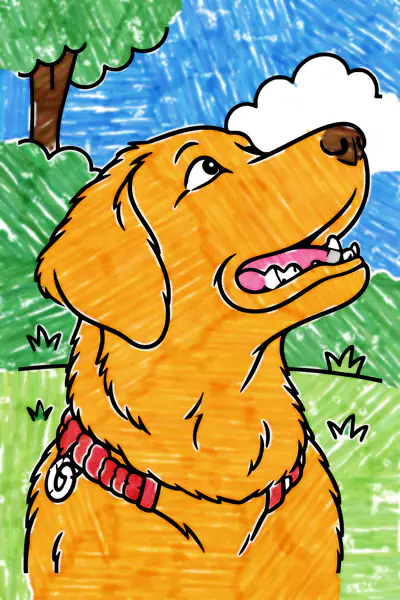
Colored in
How it works
- Choose a photo from your phone or computer. A clear photo with one or two main subjects works best.
- We redraw it as cartoon line art, keep the people, pets and poses recognizable, and simplify the background.
- Download a PDF for US Letter or A4, a PNG or an SVG, or print it right away.
Which photos work best
- One to three people or pets, close up and well lit.
- A plain background, or one you don't mind being simplified.
- Faces looking toward the camera come out most recognizable.
- Screenshots and photos of drawings work too.
Questions and answers
How do I turn a picture into a coloring page?
Tap Choose a photo, pick a picture from your phone or computer, then tap Make my coloring page. When it's ready, download the black and white page as a PDF or print it.
Will it look like my child or my pet?
It keeps the poses, hair, clothes and overall look, drawn in a simple cartoon style. It is a coloring page, so small details and exact likeness get simplified.
Is it free?
Yes. You can make 1 page a day for free, with no account. Premium gives you 300 pages a month, a choice of easy, medium or detailed for each page, saved pages and a coloring book maker.
Can it make characters like Bluey, Elsa or Pikachu?
No. Famous characters and brands belong to their owners, so the tool turns those requests down. Describe your own character instead, like a brave little fox in a cape.
Do you keep my photo or my description?
We don't store your original photo. Our drawing and safety providers process your photo or description to make your page. We keep a finished page and its description only if you have Premium and choose to save it. Read about provider retention in Privacy.
How do I print it the right size?
Download the PDF for US Letter or A4. Each one has half-inch margins and the page centered, so it prints well at 100% or Fit to page. You can also tap Print.
Can I sell the pages I make?
Free pages are for personal and classroom use. With Premium you can also sell what you make, such as printed coloring books.