Turn a photo into a color by number
Your photo becomes a line drawing with numbered spaces, a color key and an answer key. Part of Premium. We don't store your photo.

Photo

Numbered page

Answer key
Photo to color by number is part of Premium
Turn your own photos into color by number pages with a color key and an answer key, ready for Letter or A4. Each page counts as one of your 300 Premium pages a month.
$7.99 a month or $47.99 a year. Cancel anytime.
Already a member? Sign in.
Photo
Answer key
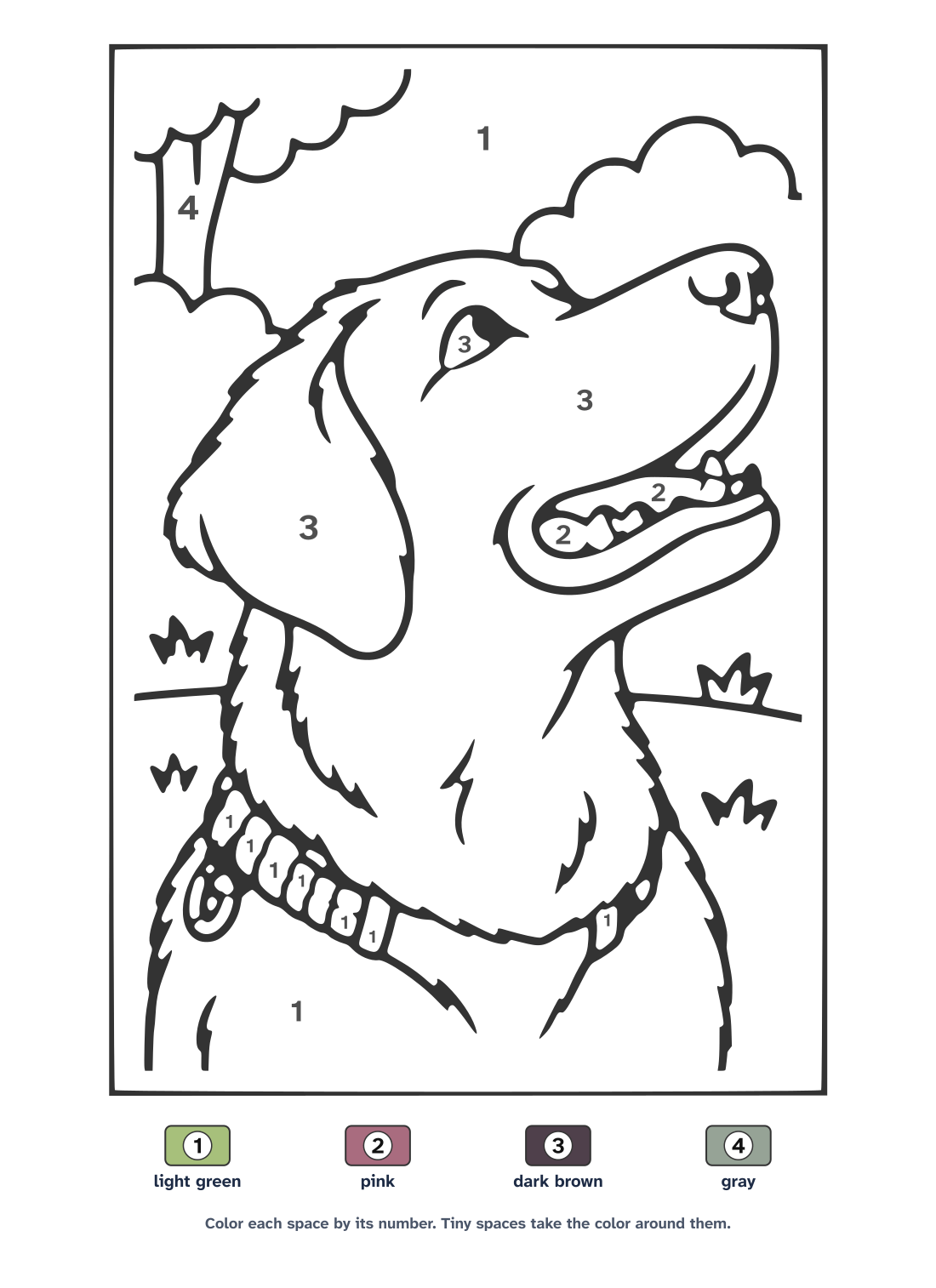
Numbered page with its color key. See it full size
How it works
- Choose a photo, then pick how many colors (6, 8, 10 or 12) and how much detail.
- We redraw the photo as clean line art, like our photo coloring pages, then number each space and take its color from your photo.
- Print it or download one PDF with the numbered page, its color key and the colored answer key. PNG and SVG files are there too.
Which photos work best
- One big subject, close up and well lit: a pet, a favorite toy, a face.
- For a face, crop the photo so the face fills most of it. Eyes and a smile need room to stay.
- A plain or blurry background gives fewer, bigger spaces.
- Start with Simple and 8 colors for children around 5 to 8. Older children and adults can try Medium or Detailed with 10 or 12 colors.
Busy scenes and faces far from the camera lose their small details, because every space has to be big enough to color.
Questions and answers
How do I turn a photo into a color by number?
Choose a photo, pick the number of colors and the detail, then tap Make my color by number. In about 30 seconds you get the numbered page and the answer key to print or download.
Which detail should I pick for my child?
Simple draws a few big shapes with numbers at least 10 points tall, which suits children from about 5. Medium has more and smaller spaces for ages 8 and up. Detailed is for older children and adults who like small spaces. Spaces too small for a number are left without one and take the color around them.
What if the drawing can't be made?
If the drawing step is busy or fails, you still get a page: it is made from the color areas of the photo instead. Those pages follow the photo's shapes more loosely, so you can try again later for a drawing.
What do the color names mean?
Each color in the key gets a plain crayon name, like light brown or sky blue, and a swatch of the color from your photo. Any crayon close to the swatch works.
Does each page use one of my Premium pages?
Yes. Each color by number uses 1 of your 300 pages a month, like a photo coloring page, because the drawing is made the same way. If it fails or you cancel it, the page is not counted. Printing and downloading it again doesn't count.
Do you keep my photo?
No. As with a photo coloring page, the photo goes to our drawing provider to make the line drawing, after a safety check. The numbers and colors are added on our own server, in memory, and we keep nothing after your page is made. Read the privacy page.
Can I sell books made from these pages?
Yes, when the photo is yours to use. Pages you make on Premium can go in printed or KDP coloring books, like your other Premium pages.