Name tracing worksheet generator
Type a name and print a page of letters to trace. Free, no sign-up.
The name stays on your device.
AI picture and style (optional)
A picture above the practice rows. Each new picture uses 1 page.
Print or download
More formats and options
How it works
- Type the name the way your child writes it at school, or pick capitals or lowercase.
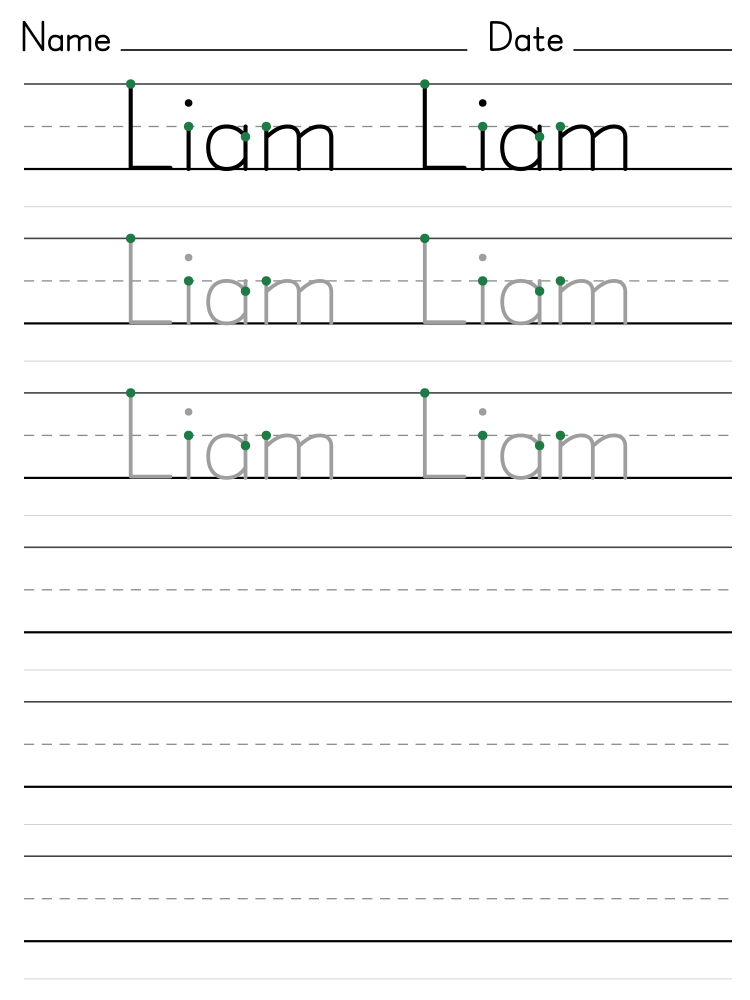
- Choose the size and the practice style. Trace, copy, write starts with solid letters to look at, then gray letters to trace, then empty rows to copy and write the name.
- Tap Print, or Download PDF to print later. The paper size is picked for you.
- Add an optional AI picture if you like. One picture can be reused for every child in a class.
Tips for tracing practice
- Start with big letters for ages 3 and 4, then move to medium as the lines get steadier.
- Trace the solid row with a finger first. Then trace the gray rows with a crayon or a pencil.
- Copy the name in the empty row under the traced one, looking up at it as often as needed.
- For the last rows, fold the top half of the sheet under and write the name from memory.
- One sheet a day is plenty. Short, happy practice works better than a long session.
Notes for teachers and parents
- Start each letter at the green dot. Most letters start at the top line or the middle line, and lines go top to bottom and left to right. Turn on numbered arrows to show the order of the strokes.
- A tripod grip works best: the pencil rests on the middle finger and is held by the thumb and pointer finger. A short pencil or a broken crayon makes this grip come naturally.
- Tilt the paper a little: to the left for a right-handed child, to the right for a left-handed child.
- Left-handed children do best on the left of a right-handed neighbor, so elbows don't bump, holding the pencil a little higher up, with a soft pencil and a light touch. The model row is above the writing rows, so their hand won't cover it.
- At 3 and 4, all capitals is a good start. Around 4 to 5, move to the name as it is written at school: a capital, then lowercase.
Examples
Liam, medium letters: trace, copy, write. 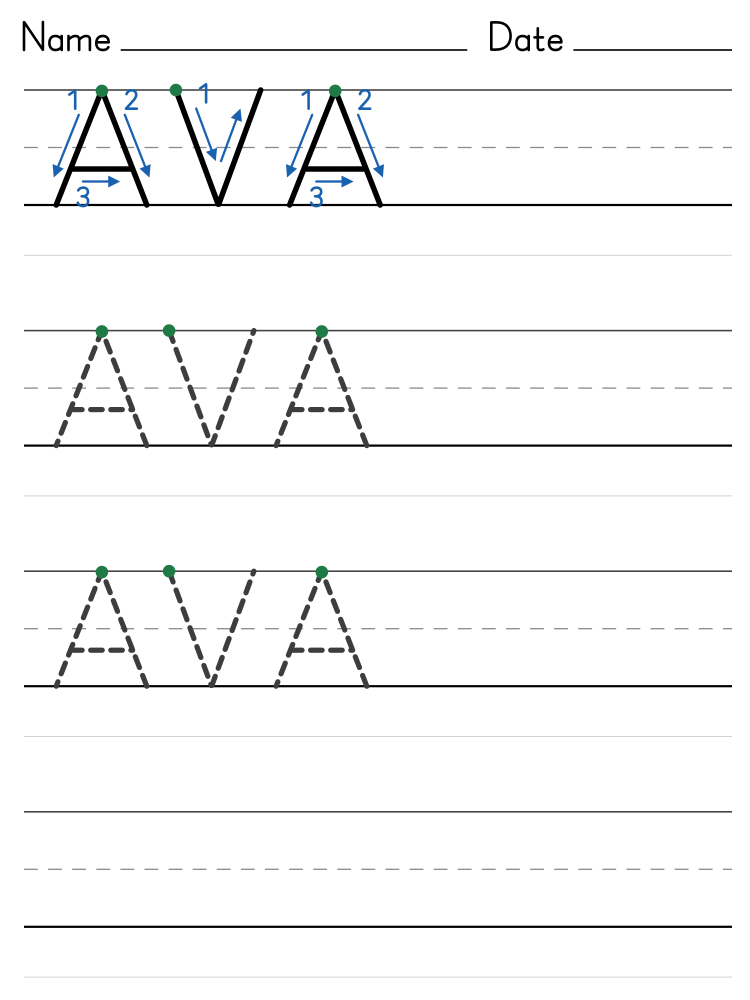
AVA, big dashed capitals with numbered arrows.
Want a page to color as well? Make a name coloring page in bubble letters, or turn any idea into a page with the coloring page generator.
Questions and answers
What age are name tracing worksheets for?
Most children start tracing their name between ages 3 and 5. Big letters suit pre-K and kindergarten, medium letters kindergarten and first grade, and small letters first and second grade.
Should my child learn capitals or lowercase first?
At 3 and 4, many children start with all capitals, because capitals are the same height and most start at the top. Around 4 to 5, most are ready for the way the name is written at school: a capital first letter and the rest lowercase.
Why are some rows empty?
Children learn a letter best by writing it themselves, not only by tracing it. The default sheet has a model row, two rows to trace, then empty rows: copy the name under the row above, then write it without help. Trace, then fade and Trace every row give more tracing if your child needs it.
What do the green dots, numbers and arrows mean?
The green dot shows where each letter starts. Turn on numbered arrows to show the order and direction of every stroke on the top row: 1 first, then 2, following the arrow. That row shows the name once, spaced out so each letter's arrows sit beside it. They follow Zaner-Bloser and Handwriting Without Tears print, used in many US schools: start at the top, go top to bottom and left to right, and start c, o, a, d, g and q like a c.
Gray letters or dashed letters?
Gray letters show the whole letter, so your child follows one smooth line instead of joining dashes. Dashed letters are there if your child or school prefers them. Both print well on a home printer.
What do the lines mean?
Letters sit on the solid bottom line. Small letters like a, m and o reach the dashed middle line, halfway up, as on school paper. Capitals and tall letters like b, h and l reach the top line. The tails of g, j, p and y hang below the bottom line. The a and g are the simple school shapes, with one round part.
Are these worksheets free?
Yes. Make and print as many as you like, for home or a whole class, with no account. An optional AI picture uses one page from your page-maker allowance. Reuse it for a whole class without using another page.
Can I add an AI picture or style?
Yes. Choose an AI picture and let AI choose its illustration style, or describe your own. It sits above the practice rows, with fewer rows to make room. The letters, guide lines and stroke arrows stay exact, and names stay on your device.
Can I make a worksheet for every child in my class?
Yes. Choose A whole class, paste up to 30 names and download one PDF with a page for each child. The settings are the same on every page.
Is the name sent anywhere?
No. The worksheet is drawn in your browser, so the name never leaves your device.